
Download Diffuse the Rest – Free AI Image Completion Tool
Overview
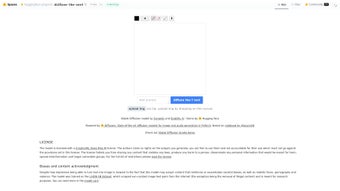
Diffuse the Rest is a modern, web‑based AI‑powered image‑completion platform that lets anyone fill missing parts of a picture in seconds. Powered by the extensive Hugging Face diffusion model ecosystem, the service aggregates more than 150 pre‑trained models, each accompanied by clear licensing information and sample datasets. The user interface is deliberately minimal: drag an image onto the canvas, paint a mask over the area you want to restore, pick a model, and click “Generate.” Within a few moments the AI predicts plausible content and blends it seamlessly with the original.
The platform targets a wide audience – from graphic designers needing quick texture fills, to game developers prototyping assets, to researchers exploring diffusion pipelines. Security is a core principle; all uploads run inside a sandboxed environment, are deleted after 24 hours, and the service complies with GDPR, guaranteeing that personal data never leaves the platform without explicit consent. Because everything runs in the cloud, there is no software to download or install, making the tool instantly accessible from any device with a modern browser.
Whether you are a hobbyist experimenting with AI art or a professional seeking rapid inpainting, Diffuse the Rest delivers a free, secure, and continuously updated experience that scales with your creative needs.
Key Features
- Model Marketplace: Over 150 community‑curated diffusion models with transparent licensing and version history.
- One‑Click Completion: Upload, mask, select a model, and generate results without writing a line of code.
- Version Control & Comparison: Instantly switch between model revisions to see side‑by‑side output differences.
- Dataset Explorer: Browse the training datasets behind each model, view sample images, and understand data provenance.
- Interactive Documentation: Step‑by‑step tutorials, API snippets, and video guides for beginners and advanced users alike.
- Community Hub: Discussion boards, shared checkpoints, and collaborative projects foster a vibrant ecosystem.
- Secure Sandbox Processing: All image manipulation occurs in an isolated environment, ensuring privacy and compliance.
- Cross‑Platform Accessibility: Runs in any HTML5‑compatible browser on Windows, macOS, Linux, Android, and iOS.
- Automatic Updates: New models, bug fixes, and performance improvements are deployed instantly, eliminating manual patching.
- Export Flexibility: Download results in PNG, JPEG, or WebP, with optional embedded metadata for traceability.
Installation, Usage & Compatibility
Because Diffuse the Rest is a fully hosted SaaS solution, there is no traditional installation process. Users simply navigate to the official website, create a free account using an email address or social login, and gain immediate access to the dashboard. The onboarding flow takes less than a minute: verify your email, accept the terms of service, and you are ready to start uploading images.
The interface is divided into three intuitive panes: the Upload & Mask area where you drag‑and‑drop files and draw masks with a brush tool; the Model Selector that provides searchable filters for model type, resolution, and licensing; and the Result Viewer that shows the AI‑generated fill and lets you tweak parameters such as guidance scale, inference steps, and seed values. After each generation you can iterate by adjusting the mask, swapping models, or refining parameters, all without leaving the browser. When satisfied, a single click exports the final image, and the platform automatically removes any temporary identifiers to protect anonymity.
Compatibility is truly universal. Any device with a modern HTML5‑compatible browser—Chrome, Edge, Firefox, Safari, or Opera—can access Diffuse the Rest. This includes desktop operating systems like Windows 10/11, macOS Ventura, and popular Linux distributions, as well as mobile platforms such as Android 13 and iOS 17.
Because the computationally intensive diffusion process runs on remote GPU‑accelerated servers, even low‑end smartphones can generate high‑quality inpaintings without noticeable lag. For developers and power users, an optional RESTful API is available on the free tier (subject to rate limits). The API mirrors the web UI workflow: send a POST request containing the image payload, mask coordinates, and desired model ID, then receive a base64‑encoded completed image.
Comprehensive API documentation, including cURL examples and client libraries for Python and JavaScript, is housed in the “Developers” section of the platform.
Pros, Cons, FAQ & Conclusion
Pros
- Completely free for up to 20 images per day, with no hidden fees.
- Zero‑install, browser‑based workflow works on all major operating systems.
- Large library of community‑vetted diffusion models ensures variety and quality.
- Secure sandbox processing protects user privacy and complies with GDPR.
- Active community provides rapid support, model updates, and shared resources.
Cons
- Free tier limits daily generation, which may be restrictive for heavy users.
- High‑resolution outputs (>2 MP) require a paid subscription.
- Performance can fluctuate during peak server load, causing occasional latency.
- Advanced fine‑tuning options are fewer than in self‑hosted diffusion frameworks.
Frequently Asked Questions
Is Diffuse the Rest really free?
Yes. The core inpainting service is free for up to 20 images per day. Premium plans lift this limit, add batch processing, and provide priority GPU access.
Do I need a powerful computer to use the tool?
No. All heavy computation runs on remote servers, so even modest laptops or smartphones can generate high‑quality results as long as you have an internet connection.
Can I upload my own diffusion model?
Custom model uploads are available on paid plans via the “Developer” portal, subject to size and format restrictions.
How secure is my uploaded image?
Images are processed in an isolated sandbox and automatically deleted from the server after 24 hours. The service adheres to GDPR and does not retain personal data without explicit consent.
Is there an API for automation?
Yes. A RESTful API mirrors the web UI workflow, allowing programmatic image uploads, mask definitions, and model selections. API keys and documentation are accessible after creating a free account.
Conclusion & Call to Action
Diffuse the Rest distinguishes itself as one of the most accessible AI image‑completion solutions available today. Its combination of a vast, community‑driven model marketplace, zero‑install browser access, and robust privacy safeguards makes it an excellent choice for designers, hobbyists, and researchers alike. While power users may eventually outgrow the free tier’s daily limits, the affordable premium options provide a seamless upgrade path without disrupting workflow. Ready to fill the missing pieces in your visual projects? Download Diffuse the Rest now and start generating seamless, AI‑enhanced images instantly—no installation required.



.png)



